Kawaii Node Audit
This feature has not been officially released yet. It is planned for KawaiiPhysics v1.22. Specifications may change during development.
Overview
After updating a reference hair setup, it can be unclear which costumes received the change. Opening each AnimBlueprint and comparing values requires locating the nodes and distinguishing intended costume adjustments from missed updates.
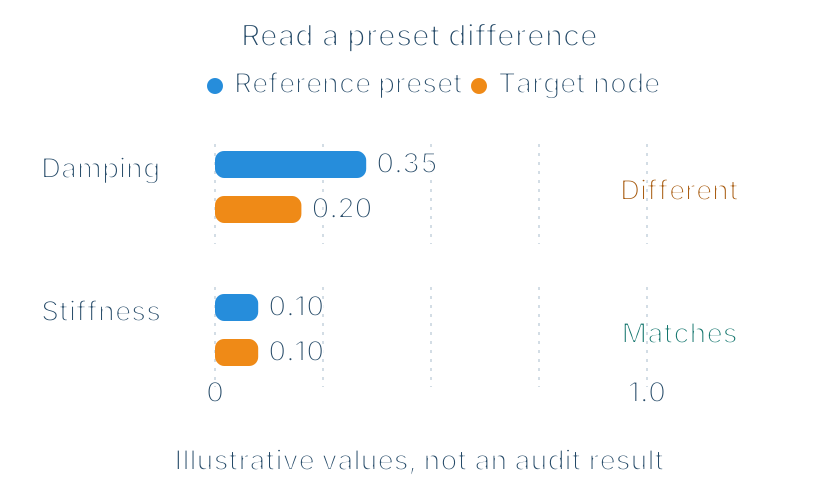
Node audit is an editor feature that lists target nodes and differences from reference presets. Start with a Dry Run that does not modify settings, inspect the differing values, and decide which differences to keep or align.
Running an Audit
- Open the reference preset DataAsset details.
- Press
Apply To Project (Dry Run). - Check the AnimBlueprint names and target parts in the list.
- Press
View Diffon the row to inspect. - Read the values that differ from the preset.
The Kawaii Node Audit view opened by Dry Run shows targets and differences. To locate target nodes only, use Find Target Nodes; that view does not show difference columns, difference filters, or application controls.
The preset TargetTags determine targets; an empty list matches none. See presets for tag matching.
Display Filters and Application or Export Scope
Refresh repeats the same preset Dry Run; Export... saves JSON or CSV. Show Differing Only filters the display.
Display filters and row selection do not limit application targets. Apply to Project... applies to project nodes matching the preset TargetTags; Export includes all audit entries before display filtering.
Real application modifies assets after a confirmation dialog. With Check out files, assets whose checkout fails are skipped.
Audit View Controls
The Kawaii Node Audit tab is not a persistent global Window-menu entry; open it through a preset Dry Run or target search. In the Dry Run view, Matches shows a check mark for agreement or the number of differing properties. Open the ABP from its row, or use View Diff for a value-level comparison with the matching preset. Difference filtering, Check out files, and real application are available in the view opened through Dry Run.
KawaiiPhysicsAudit Commandlet
The KawaiiPhysicsAudit Commandlet covers audit fields, JSON/CSV scope, commandlet arguments and exit codes, and the Editor API. The commandlet performs read-only audits and optionally writes JSON. Operate it separately from real preset application.
Related UE documentation
- Command-Line Arguments — Review executable flags and key-value syntax; see KawaiiPhysicsAudit Commandlet for audit-specific arguments. (UE 5.8)