Procedural Wind
This feature has not been officially released yet. It is planned for KawaiiPhysics v1.22. Specifications may change during development.
Overview
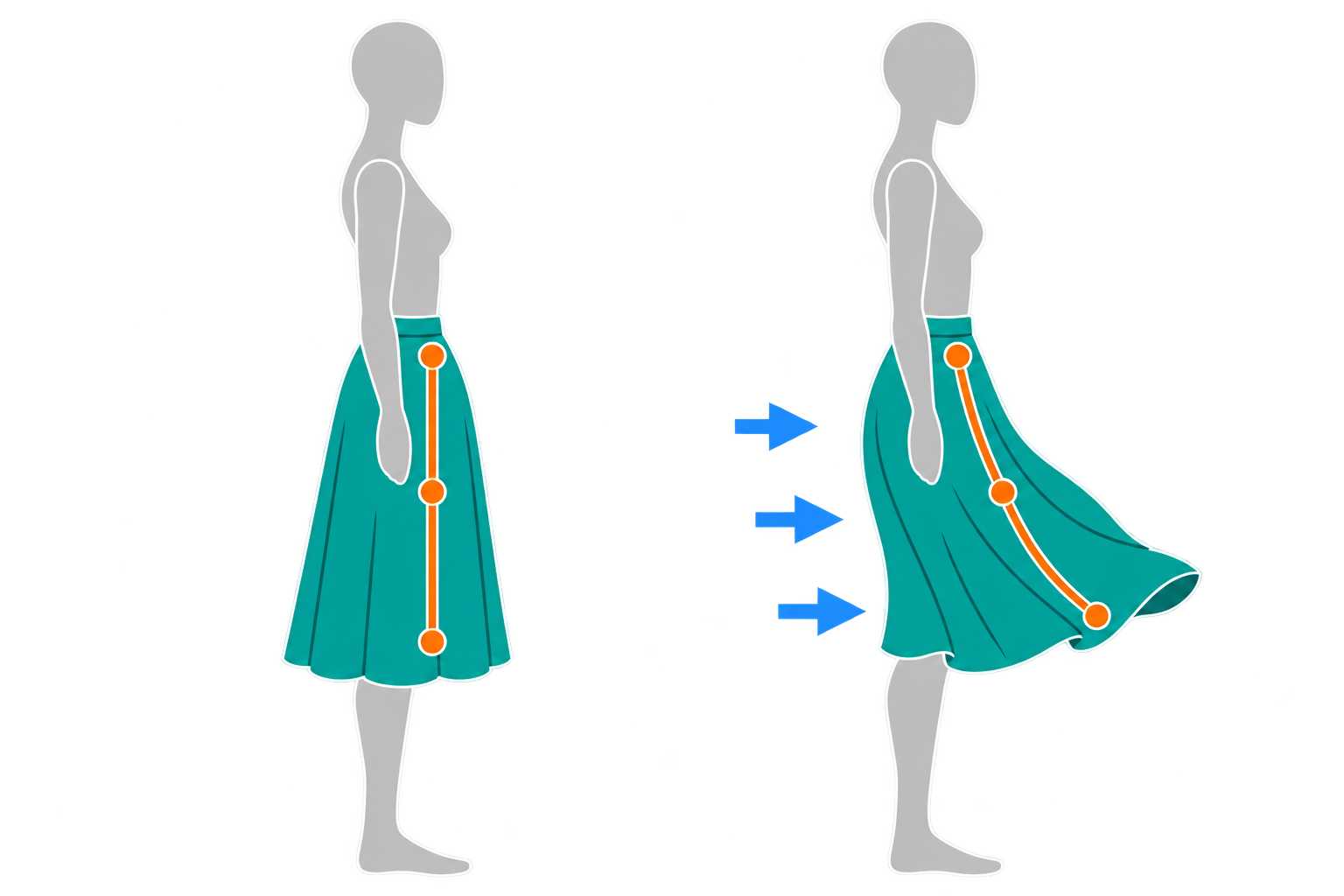
Hair and clothing drifting in a constant direction can look repetitive on an outdoor character. You may want to tune the timing of stronger and weaker wind as well as its direction.
Procedural Wind combines steady force with periodic changes, phase changes toward the tips, and random variation. Start with steady wind, then add the changes the scene needs. This makes it easier to see which setting changed the appearance.
Usage
- Add an entry to the node's
External Forces. - Set its type to
Procedural Wind. - Raise
Constant Forcea little above 0. - Play the level.
Display Modes and Settings
Parameter Mode shows the main settings in Simple and every setting in Advanced. Values hidden in Simple mode still contribute to the calculation.
Wind Settings
| Change you want | First settings to tune |
|---|---|
| Direction or steady strength | Wind Direction, Constant Force |
| Periodically stronger and weaker wind | Sway Force and Sway Period in Advanced mode |
| A delay from roots toward tips | Ripple Force, Ripple Tip Phase Delay |
| Less regular variation | Random Force, direction noise |
Wind Components and Composition
| Component | Purpose |
|---|---|
| Constant | Wind with a constant strength |
| Sway | A wave that moves all bones in the same phase |
| Ripple | A wave that travels from root to tip |
| Strength Cycle | Periodic multiplier applied to Constant, Sway, and Ripple |
| Random | Smooth noise that varies wind strength |
| Gust | A gust triggered through the API |
The components are combined as follows.
Total = (Constant + Sway + Ripple) * StrengthCycle + Random + Gust
Ripple Tip Phase Delay controls the phase delay at the tip. At 0 there is no wave propagation; negative values reverse propagation from tip to root. Wind Direction Noise Angle and Wind Direction Noise Period also vary the direction itself.
Procedural Wind Gust / Transient External Force
When an event needs stronger wind, editing ordinary wind values also means managing when to restore them. A Gust adds a short wind with specified rise, hold, and decay. For animation timing, put its trigger on a Notify track.
- Open the Animation Sequence.
- Move to the point where the gust should start.
- Add
KawaiiPhysics: Trigger Gustto its Notify track. - Raise
Strengtha little above 0 and set a positive total time, for exampleRiseTime=0.2s andDecayTime=0.5s. All three times default to 0. - Play the animation.
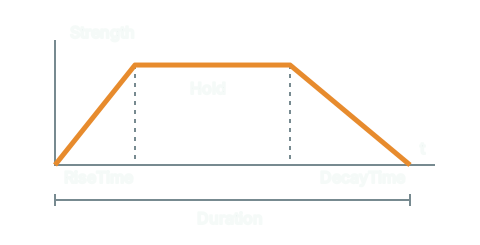
Check for stronger wind at that point followed by a fade. The Notify's total time is RiseTime + HoldTime + DecayTime. For gameplay events that need early cancellation, a programmer can manage stopping with a handle-based API.
Progress depends on animation evaluation. Check conditions where LOD or URO stops evaluation. The transient-force reference covers lifetimes, the 8-entry limit, and unsupported reference types.
Wind Preset Data Asset
Re-entering wind values for another outfit or scene takes time and makes comparison harder. Saving wind presets lets you choose previously tuned values. Keep this separate from the whole-node UKawaiiPhysicsPresetDataAsset.
- Select the target Kawaii Physics node.
- Open
Wind Scopein Details. - Choose the target Procedural Wind under
Force. - Open
Presets. - Select
Breeze.
Wind direction remains on the target. See wind preset APIs for the eleven saved fields and runtime application conditions.
To save custom wind, assign a Wind Preset Data Asset (WindScopePresetDataAsset) under Project Settings > Plugins > Kawaii Physics > Wind Scope, then use Save as Preset > Add New Preset in Wind Scope. Saving is unavailable with only built-in presets.
Wind Scope application modifies the ABP and also sets Enabled=true and TimeScale=1, whereas runtime application preserves these two fields. See Wind Scope for saving and overwriting.
Local, Shared, and Auto
The Shared and Auto wind sources use a Kawaii Physics Shared Publisher in the same Actor family. Match Shared Wind Tag to the publisher's Shared Group Tag.
Shareduses wind parameters from the publisher. While the publisher is absent, it keeps advancing locally.Autouses Shared while a publisher exists and Local otherwise.- Phase offsets, Seed, Time Scale, enabled state, bone filters, and space remain configured on each node during sharing.
Seed is shared by Random and direction noise. Matching values can reproduce those fluctuations, but edits during PIE take effect on the next play session. It does not guarantee identical simulation results across all environments.
For programmatic updates to shared parameters or gusts, see Shared Publisher runtime control.
Related UE documentation
- Animation Notifies — Review Notify tracks, NotifyState intervals, and event firing conditions. (UE 5.8)
- Data Assets — Review data stored in assets and instances of existing Data Asset classes. (UE 5.8)