Simple World Collision
This feature has not been officially released yet. It is planned for KawaiiPhysics v1.22. Specifications may change during development.
Overview
Hair or a hem can pass through a corridor wall or a chair near the character. Covering those surroundings with hand-authored character collision adds work to prepare and tune shapes for each object.
Simple World Collision gathers nearby objects' Simple Collision and pushes simulated bones outside those shapes. It lets you reuse collision prepared on the level's objects when checking motion near walls and furniture.
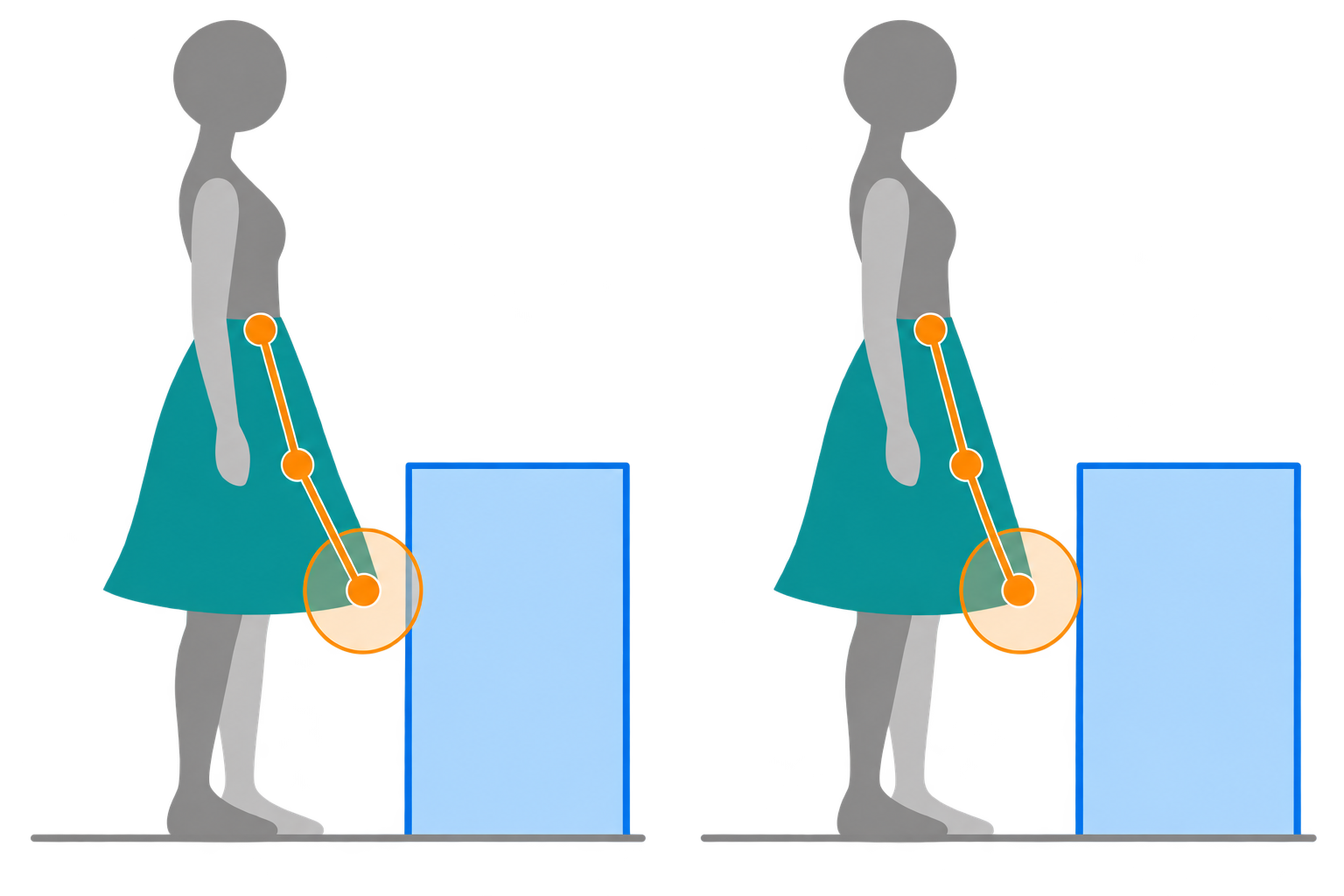
Usage
Target objects need Simple Collision and a Block response to the simulated mesh Object Type. To gather shapes on this node:
- Open
Collision > Simple World Collisionon the Kawaii Physics node. - Enable
Use Simple World Collision. - Set
SourcetoLocal. - Play the level.
- Move the character slowly toward the box.
Main Settings and Defaults
| Setting | Default | Meaning |
|---|---|---|
| Use Simple World Collision | false | Enable this feature |
| Source | Local | Gather on this node's side |
| Gather Interval | 0.2 seconds | Interval for gathering nearby targets; 0 gathers every frame |
| Object Types | Empty | Empty uses WorldStatic and WorldDynamic |
| Override Gather Radius | false | When disabled, derive the range from mesh bounds |
| Gather Radius | 200 cm | Radius used when the override is enabled |
| Convex Shape | Convex Hull | Use the convex shape's plane set |
| Ground Collision | true | Represent ground information as a thin box |
| Skeletal Mesh Collision | None | How nearby SkeletalMeshes contribute collision shapes |
Even when a component belongs to Object Types, it is gathered only if it Blocks the owning SkeletalMeshComponent's ObjectType. With Override SkelComp Collision Params enabled, its ObjectType is used instead. Overlap and Ignore responses are excluded. Gathered component positions are updated every frame.
Gathering Conditions and Limitations
Thin walls and fast movement can still be crossed. This pushes bones out of the current shapes rather than sweeping their movement path. It can be combined with World Collision.
Convex Hull and Ground
Convex Shape offers Convex Hull, Bounding Box, Bounding Sphere, and None. The default Convex Hull uses the actual plane set. It falls back to Bounding Box if hull data is unavailable or exceeds the Project Settings Max Convex Planes limit (default: 64).
Landscapes and meshes with only complex collision are excluded from normal shape gathering. Ground Collision takes a separate path: it uses ground information from the owning Actor or performs a downward trace if that information is unavailable. Therefore, the whole feature is not entirely trace-free.
To collide with nearby SkeletalMeshes, choose Bounding Box or Physics Asset for Skeletal Mesh Collision. Physics Asset pose data may be one frame late, and bone scale from animation is not applied to shape sizes.
IKawaiiPhysicsGroundProvider
Custom movement or Mover may already know which floor supports the character. Ground Provider gives Simple World Collision an entry point for that floor data. It can reuse existing results without querying the floor again inside the provider.
- Enable Simple World Collision's
Ground Collision. - Implement
IKawaiiPhysicsGroundProvideron the owning Actor or a component. - Return cached floor data from
GetKawaiiPhysicsGround.
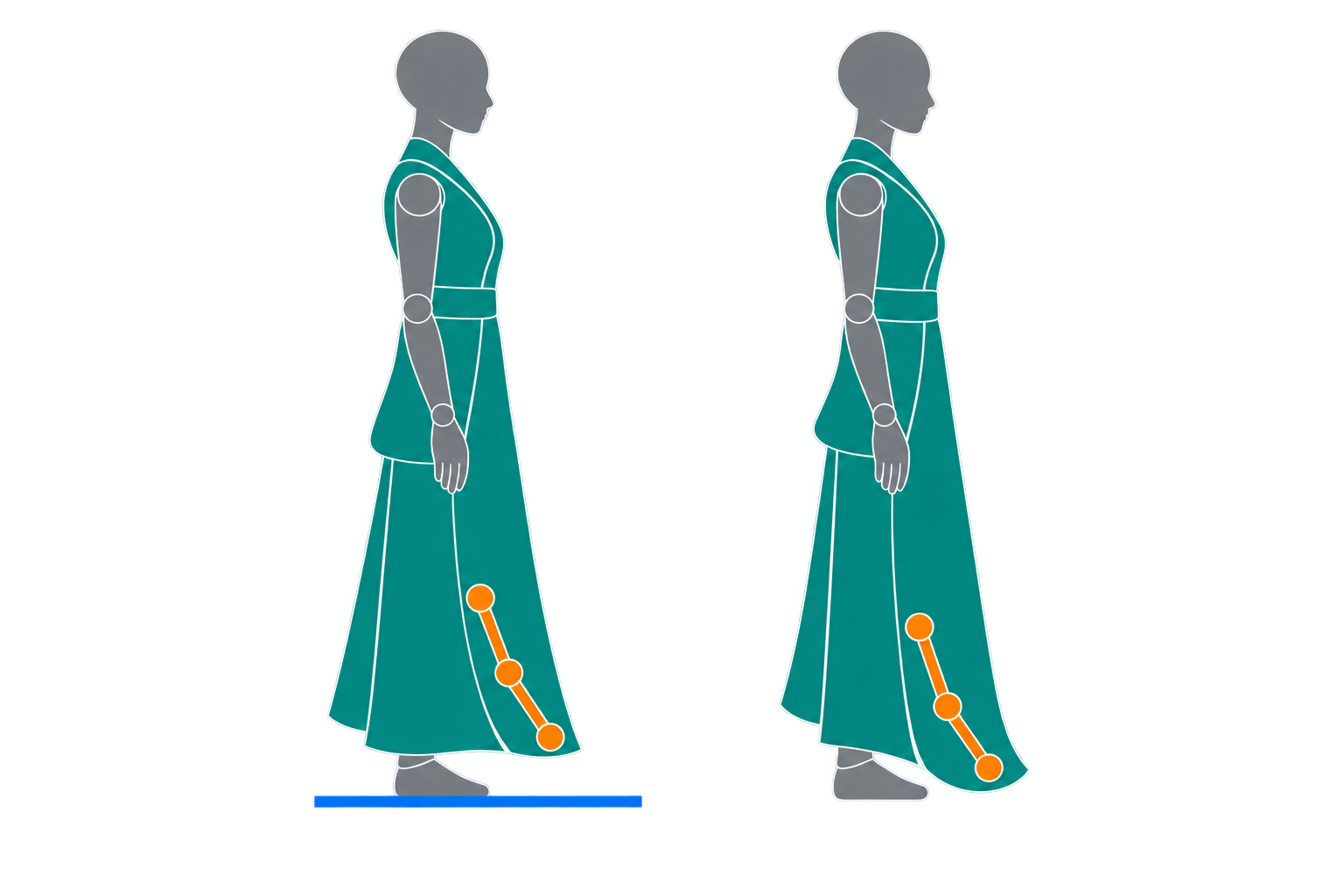
IKawaiiPhysicsGroundProvider
IKawaiiPhysicsGroundProvider supplies ground information for Simple World Collision from Mover, a custom Movement Component, or a Blueprint Pawn. Enable Ground Collision, implement the interface on the owning Actor or one of its components, and return FKawaiiPhysicsGroundHit from GetKawaiiPhysicsGround(SkelComp). The search walks from the owning Actor through attachment parents, up to eight levels.
It is called every frame, so return floor information already cached by movement code. Avoid additional traces inside the interface. This is an integration point for your implementation, rather than a built-in adapter that automatically reads Mover floor data.
| Result | Behavior |
|---|---|
bNoGround=true | Remove the ground box immediately; do not fall back to CharacterMovement or traces, regardless of bHit |
bNoGround=false, bHit=true | Use world-space Location and Normal; Component is optional |
| Both false | Information is unavailable; try CharacterMovement CurrentFloor, then a downward trace |
Return bNoGround=true when movement determines that there is no floor, such as during a jump or airborne movement. Both flags false means “not determined,” which is different. This separate ground path can also handle Landscape and complex-only floors.
v1.22 Preview Overview · Official Release Collision Setup
Local, Shared, and Auto
The Shared and Auto source modes use a Kawaii Physics Shared Publisher and matching tags in the same Actor family. That publisher has a different role from a source node in the existing Shared Collision feature.
Shared: Use the publisher's gathered results. No push-out occurs while the publisher is absent.Auto: Use sharing while a publisher exists, otherwise fall back to Local.- During sharing, gather settings come from the publisher.
Related UE documentation
- Simple versus Complex Collision — Compare shape-based Simple Collision with polygon-based Complex Collision. (UE 5.8)